skip to main |
skip to sidebar
Using Facebook on web browser for messaging is really an ugly experience.
On your browser, preferably Chrome.
Solution??
Go to this URL:
https://www.messenger.com/
Log in and there you go with simple and compact interface!
Problem: Can't use the PrntScr key on my keyboard.
Solution:
If you have Windows 7 Professional, Ultimate you should have Snipping Tool installed.
To find Snipping tool:
Start button  . In the search box, type Snipping Tool, and then, in the list of results, click Snipping Tool.
It looks like this:
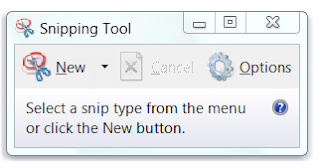
Highlight page or area that you wanna "snip" or screenshot.
That's it!!!
You should be able to do it too!
xoxo-
~iscikedelic


